
Listing Statuses Explained
Published, Pending, Needs plan, Draft, On Hold, Expired, and Disapproved.
Last updated October 24, 2026
Status badges on My Listings
Each listing shows a status. Here is what each one means and what to do next.
Published (Live)
The listing is active and can appear in search. A marketing package is in place. No action is required unless you want to edit the content.
Needs plan (also called Pending)
On My Listings this badge says Needs plan. In the status filter it can still say Pending. Both mean the same thing: the listing has no marketing package, or not enough listing credits, so it is hidden from search. It is not waiting on a review.
What to do:
- Publish Listing if you already have a listing credit.
- Buy Additional Credits or Add More Credits on My Listings if you have a plan and the credit count is 0.
- Choose Plan if you do not have a marketing package yet.
How the two credit balances work: Listing credits and featured credits.
Draft
The listing is saved and hidden. New listings start here. Purchase a plan, or use a listing credit you already have, to move forward. If a plan is already paid, you have credits left, and the badge stays Draft, email help@salonrenter.com.
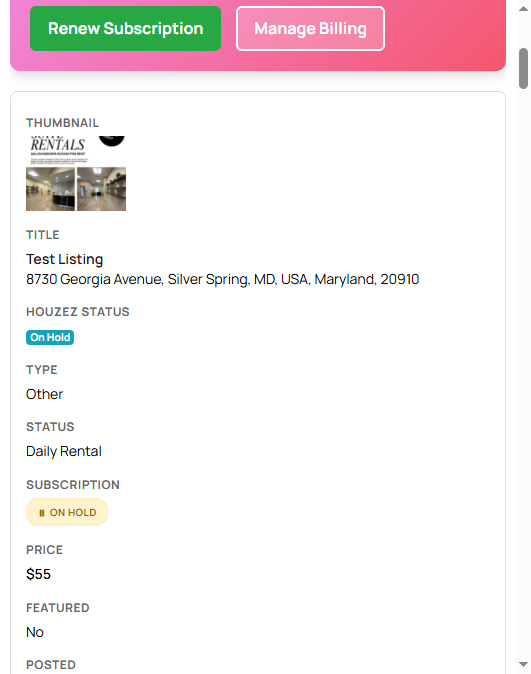
On Hold
The listing is paused. Content and photos stay saved, and the listing is hidden from search. You can turn it back on from the dashboard. This is useful when every space is rented. Putting a listing on hold does not cancel billing. Cancel from My Billing. See Pause a listing.
Expired
The marketing package has ended. The listing is hidden. Content is still saved. Click Renew Subscription or Choose Plan on My Listings. A banner on that page points to renew and billing.
Disapproved
The listing was flagged or did not meet the guidelines. Common causes are missing required info, content that is not about a salon space, or a duplicate of a live listing at the same address. See Why a listing was disapproved, or email help@salonrenter.com.
More on that status: Pending or Needs plan.