SalonRenter. Renting beauty space made easy.
Find Space
Find JobsSalons for Sale
Rent calculatorHelpBlogAboutContact
List Your Space?
SalonRenter

Renting beauty space made easy

Popular Cities

  • Cary, NC
  • St. Louis, MO
  • Dallas, TX
  • Austin, TX
  • Charlotte, NC
  • Raleigh, NC
  • Atlanta, GA
  • Chicago, IL
  • San Antonio, TX
  • Plano, TX

Space Types

  • Salon Suites
  • Booth Rentals
  • Chair Rentals
  • Entire Salons

For Professionals

  • Hair Stylists
  • Barbers
  • Nail Techs
  • Estheticians
  • Lash Artists
  • Massage Therapists

Company

  • About
  • Contact
  • Help
  • Pricing
  • Meet Our Partners
  • Developers
  • Refer and Earn
  • Search Rentals
  • List Your Space
  • Blog
  • Favorites
  • Rent calculator
  • Saved Searches
  • Find Jobs
  • Jobs on SalonHires
  • Salons for Sale

Legal

  • Privacy
  • Cookie Policy
  • Terms
  • Messaging Policy
  • DMCA
  • Sitemap
  • Create Your Profile
  • For Salon Owners
Salon Renter LLC1323 SE 17th St. PMB 98194Ft. Lauderdale, FL 33316

FacebookInstagramLinkedInYouTube

© 2026 SalonRenter. All rights reserved.

We use cookies for analytics and, if you allow it, advertising. Session replay turns on only after you accept. Privacy Policy

  1. Salon Owners
  2. Account & Login
  3. How to Reset Your Password

How to Reset Your Password

Get a reset email, or sign in with an email code if password reset is not the path you need.

Last updated October 23, 2026

Walk through a short decision guide

Reset your password

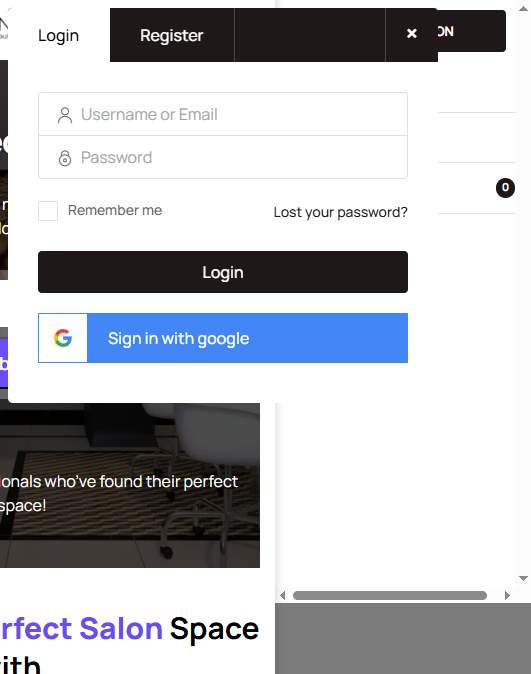
  1. Open the login page at salonrenter.com.
  2. Click Lost your password? or Forgot Password.
  3. Enter the email on the account.
  4. Open the reset email. Check spam and promotions if it is not in the inbox.
  5. Use the link to set a new password.
Login modal

Email code or magic link

The login screen can also send a one-time email code or magic link instead of a password. Use the email on the account, open the message, and enter the code or use the link.

[AJ to confirm: how long the email login code or magic link stays valid.]

If the code is rejected, request a new one and use the newest email only.

Cookie check failed

If the page says cookie check failed:

  1. Enable cookies for salonrenter.com in the browser settings.
  2. Leave private or incognito mode and use a normal window.
  3. Try another browser.
  4. Request a new code or reset link after cookies are enabled.

Email never arrived

See You did not receive a confirmation email, or write to help@salonrenter.com from the address you registered with.

Was this article helpful?

Related articles

Troubleshooting Login ProblemsYou Did Not Receive a Confirmation EmailSigned Up with Google but Can't Log In with Email

Still stuck?

Contact support and we will know which guide you already read.

Contact support